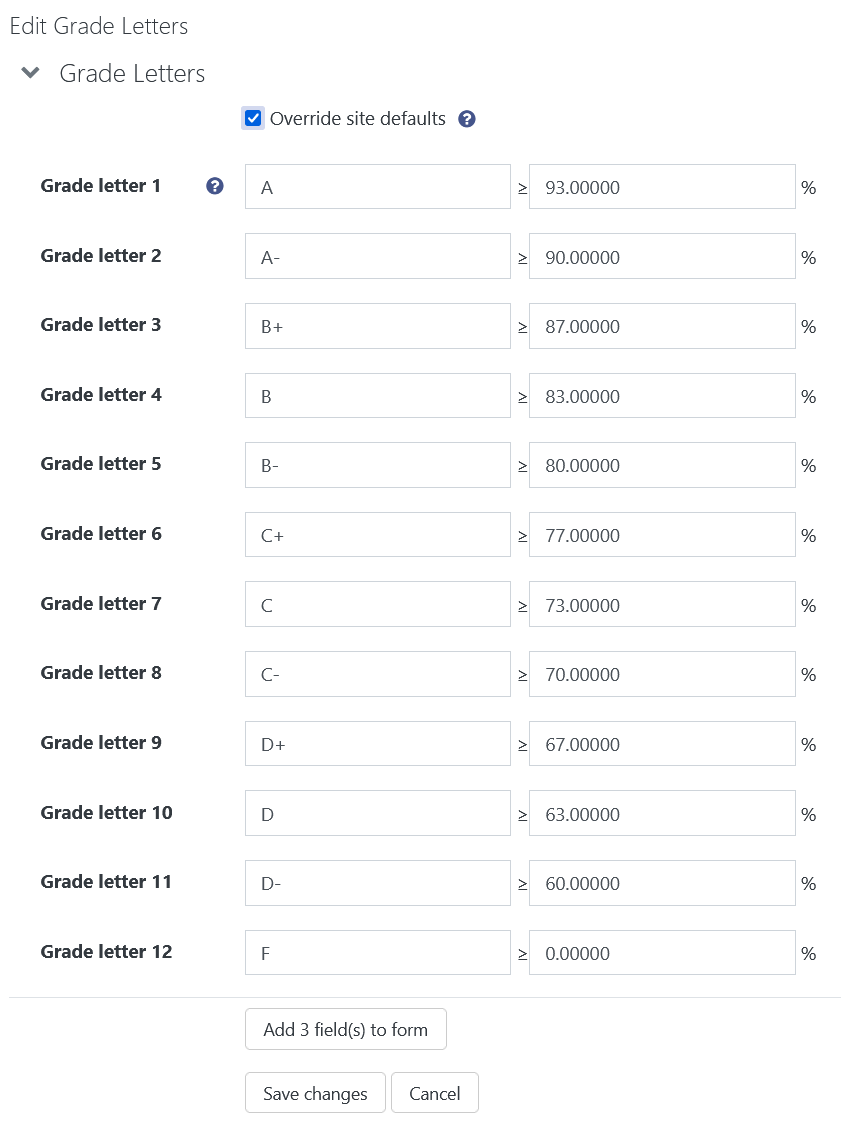
The Gradebook - Letters Tab
The letter grades in your course are set by default. However, you may use a different grading scale than the one enabled.
To navigate to the letter tab, click "Grades" in the upper-left drop-down menu, then "Grade Letters" under 'More'.
To edit the scale, click the "Edit" tab
Next, tick the Override site defaults checkbox. This allows you to adjust the letter grade and the boundaries for each grade.
When finished, be sure to click "Save changes" at the bottom of the page.
Your new grading scale will be incorporated into the "Send Grades to WebAdvisor" tool. But, as always, please double check your grades before submitting to WebAdvisor.